Faculty should enter final grades in their Canvas site by clicking the “Submit Grades to Registrar” link in their Canvas class.
However, there may be rare occasions when submitting grades through Canvas isn’t working. When that happens, faculty may use this alternative method to submit final grades through the Self Service environment.
- Access self service by going to Faculty – Vermont State Colleges Self-Service. You will need to log in using your VSC credentials.
- Choose the course you wish to grade from the courses listed:
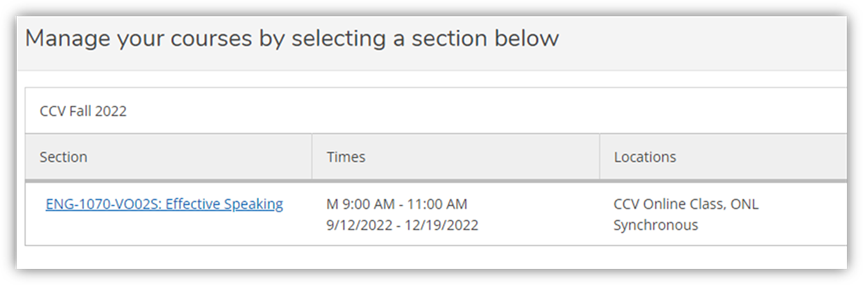
3. Choose the “Grading” tab from the list of tabs:

4. Enter Final Grades as appropriate.
Note: Inactive students (such as students who have dropped or withdrawn) should not appear on your Self Service grade roster.